Configure a custom OIDC application
You can connect IDmelon as an IdP to any service provider that supports OpenID Connect (OIDC).
OIDC is the recommended protocol for most modern web and mobile applications. If your service provider requires SAML instead, or is a legacy enterprise system, see Configure a custom application.
Quick integration flow
Follow the steps below to create a custom OIDC integration:
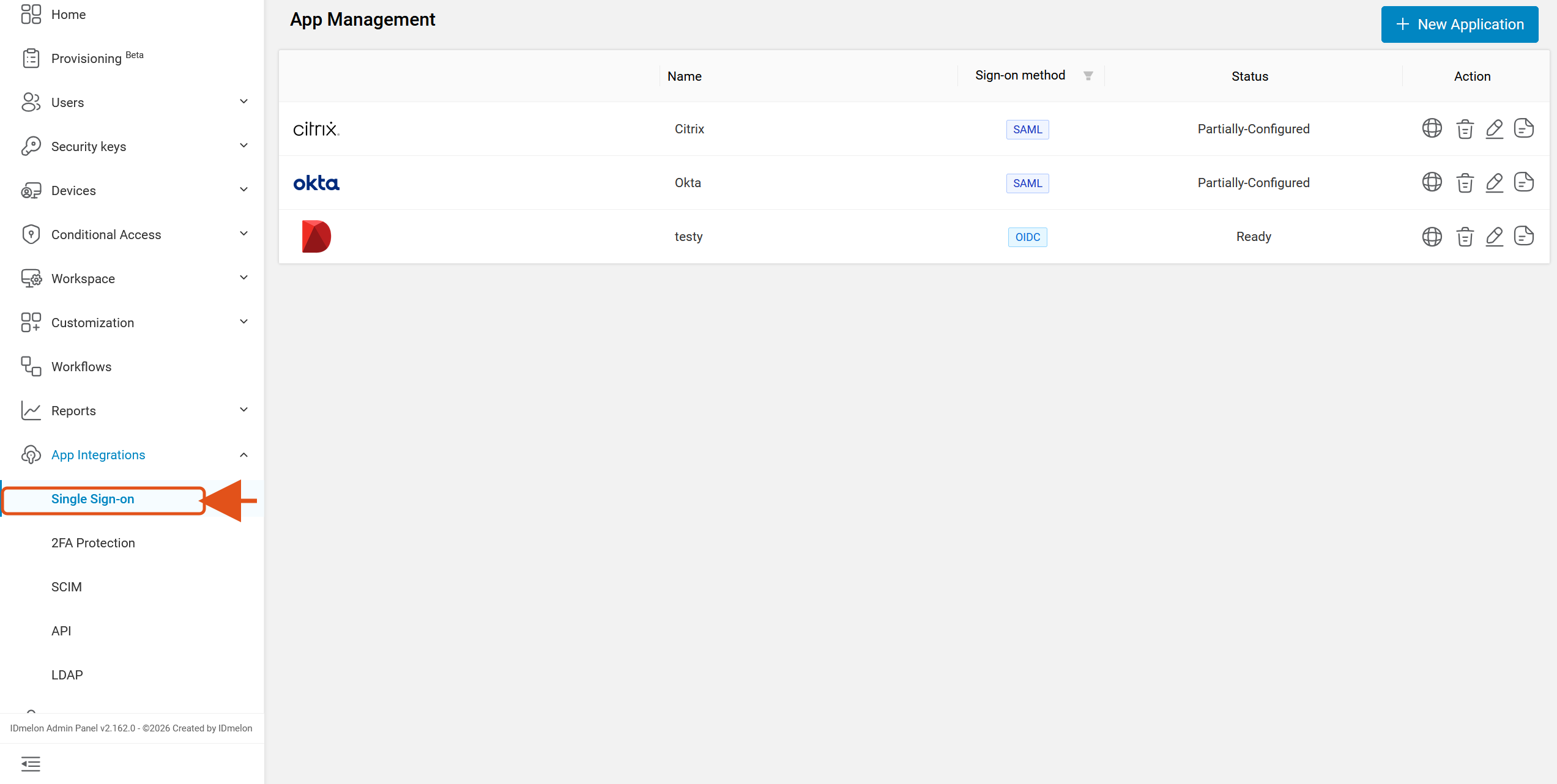
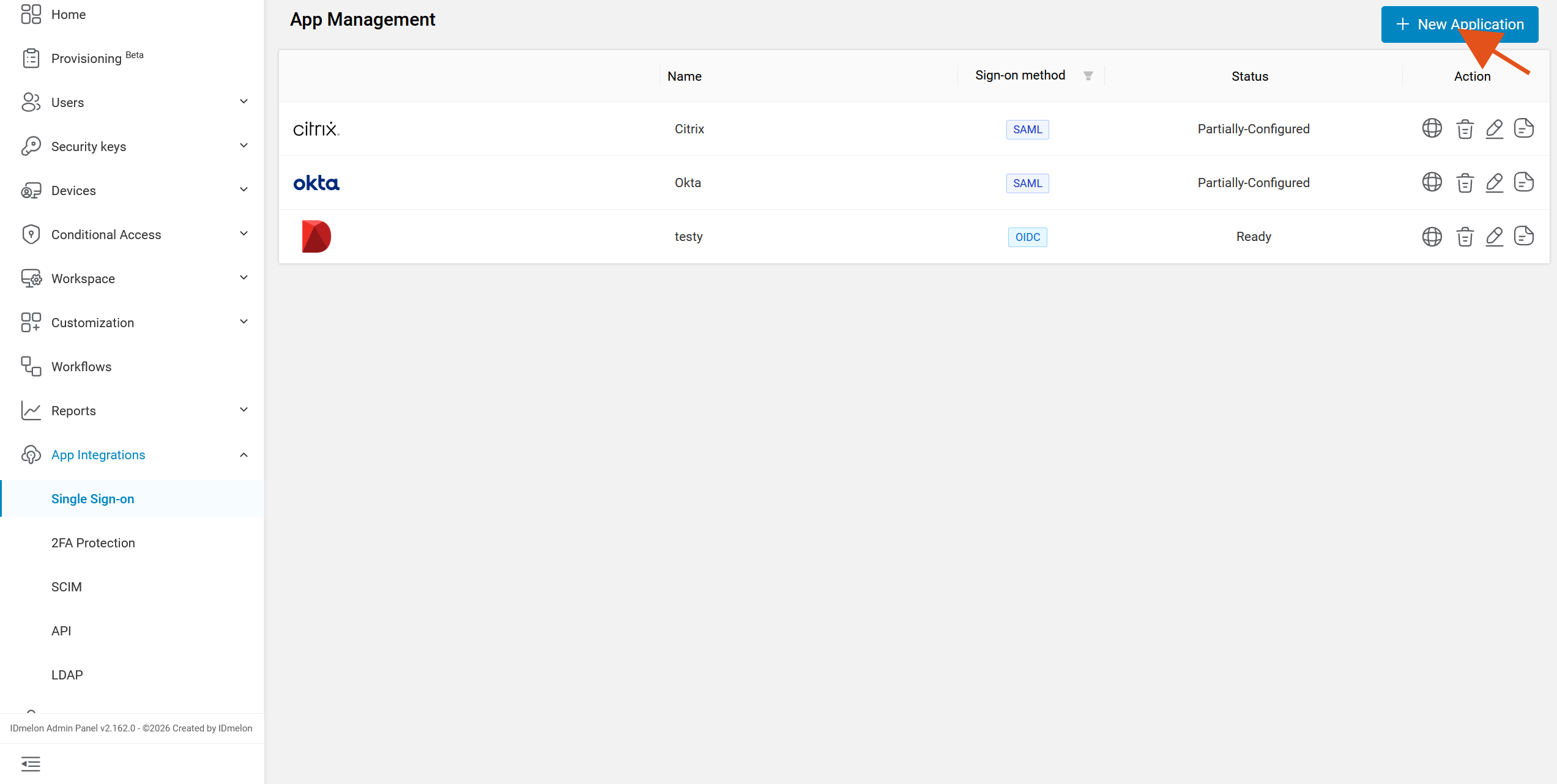
Go to the App Management section under App Integrations > Single Sign-on, then click + New Application.
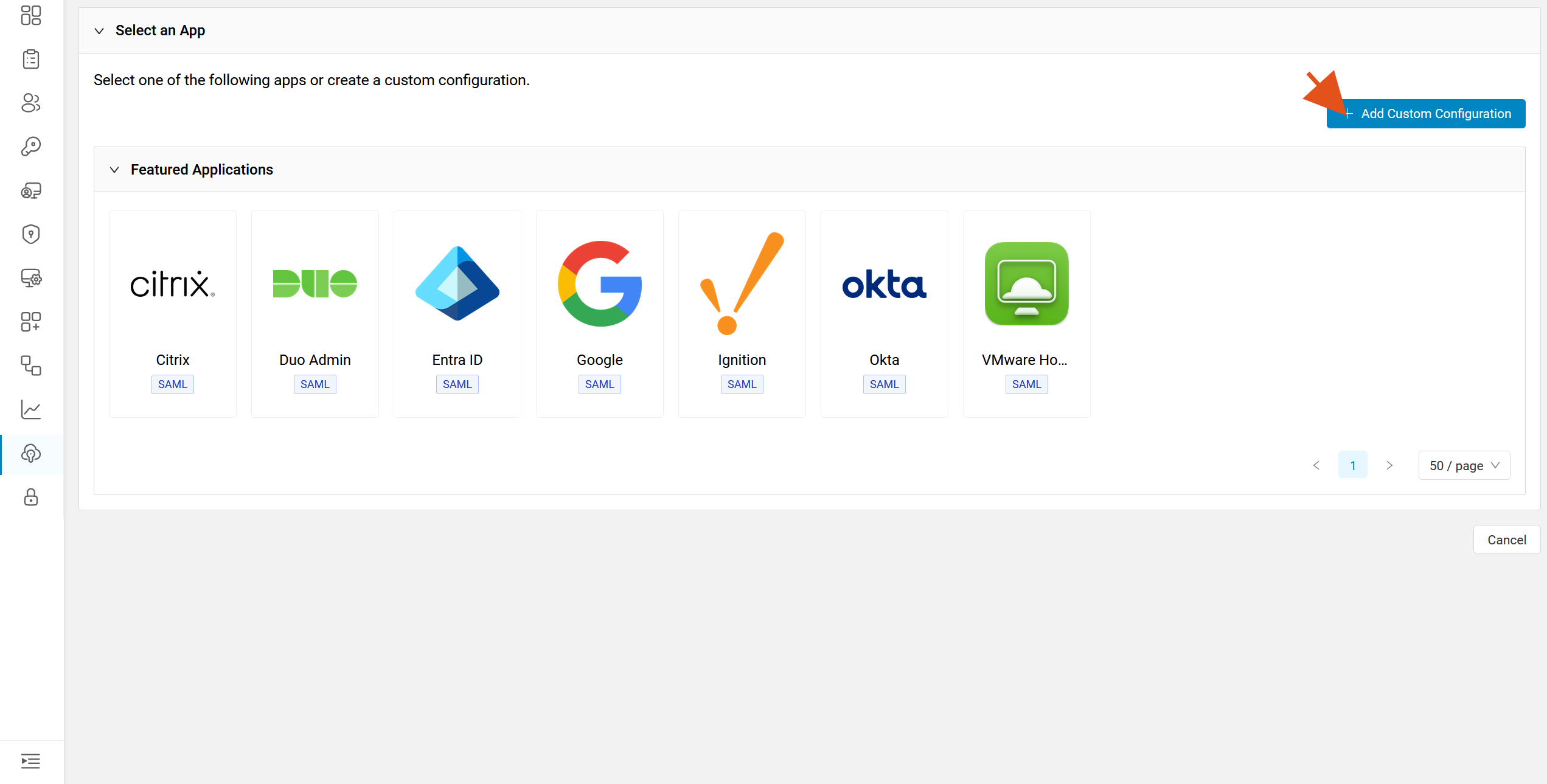
On the Select an App screen, click + Add Custom Configuration instead of picking a featured application.
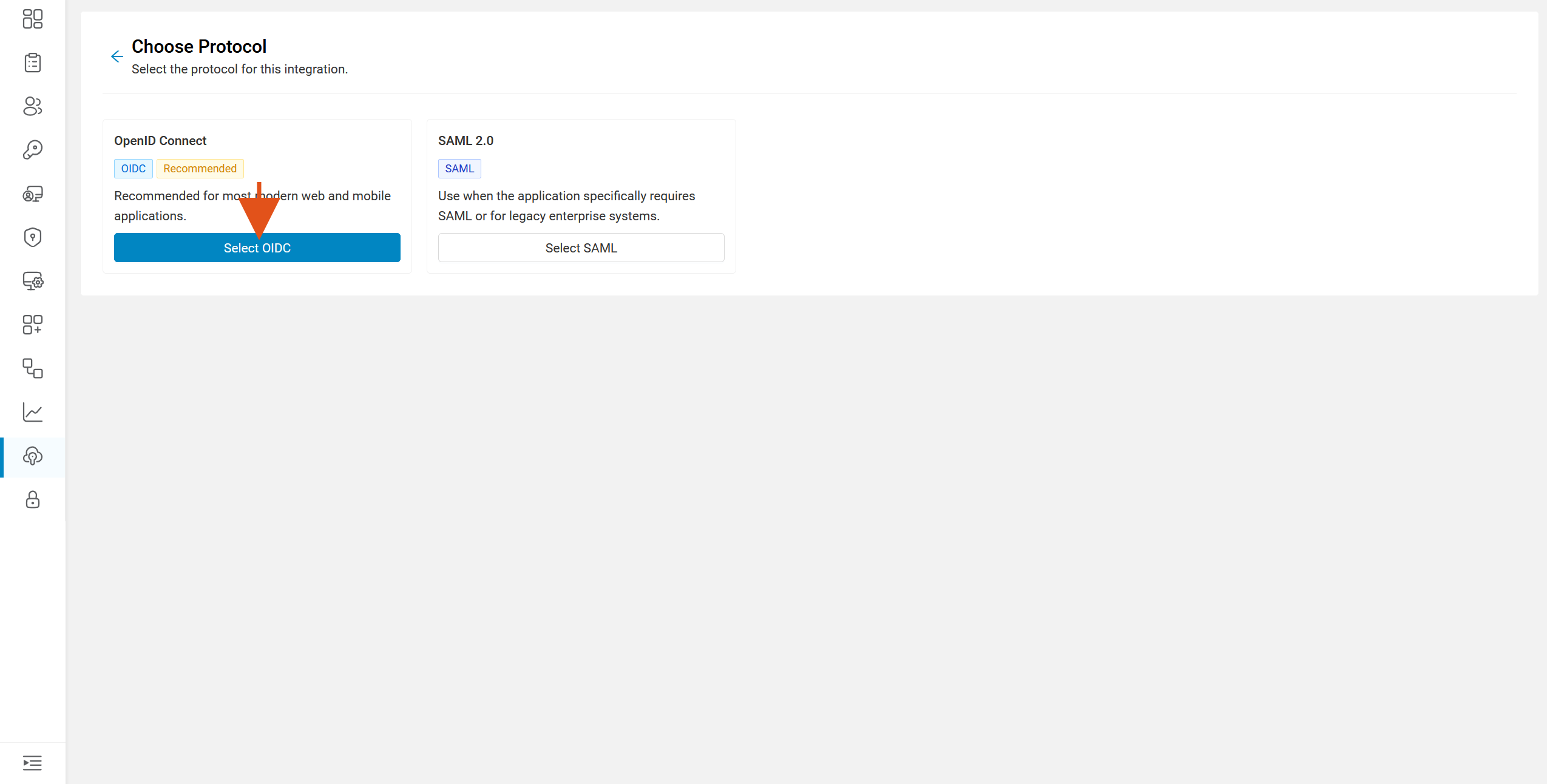
On the Choose Protocol screen, click Select OIDC.
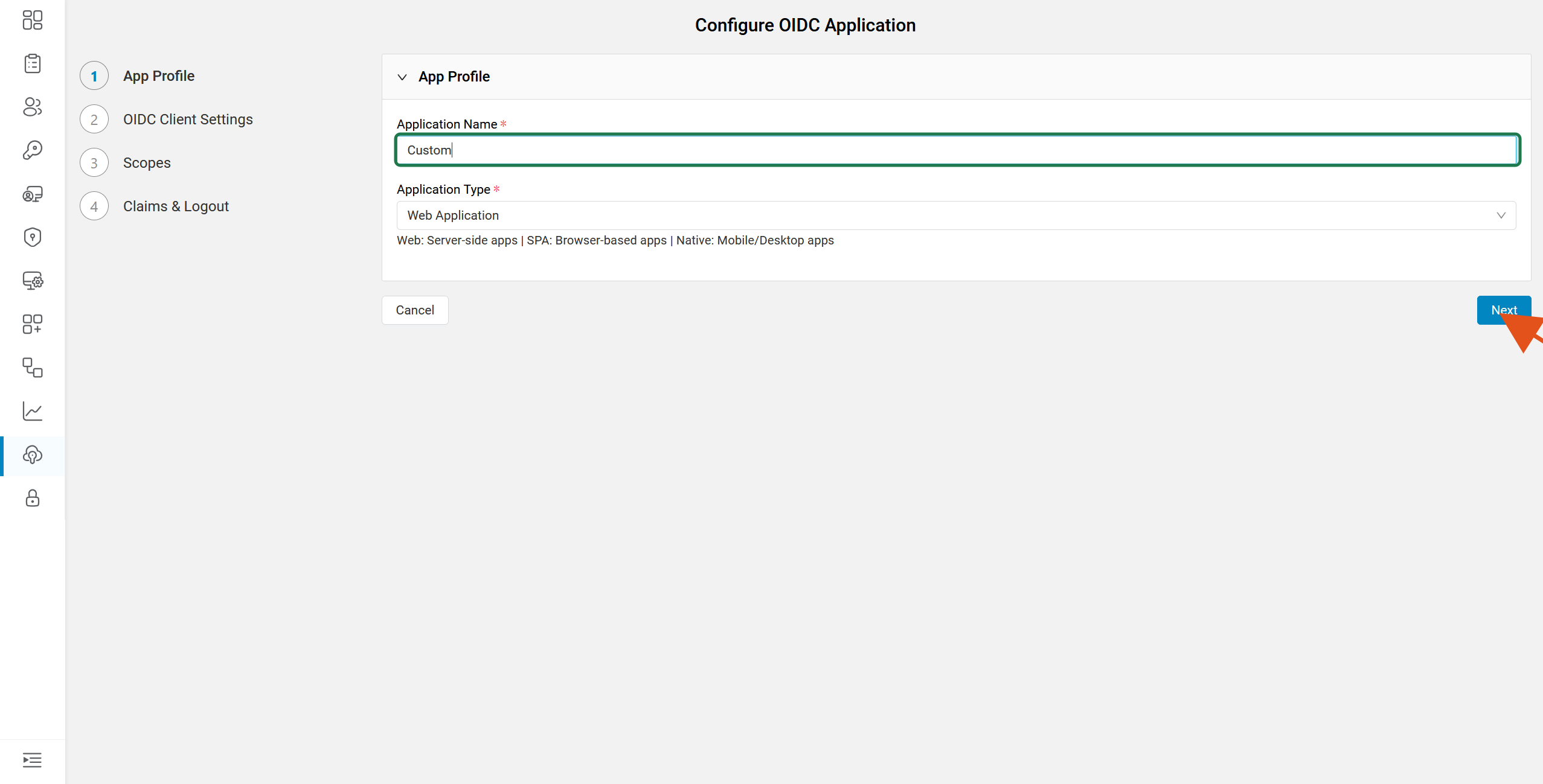
In the App Profile step, enter an Application Name and choose the Application Type, then click Next.
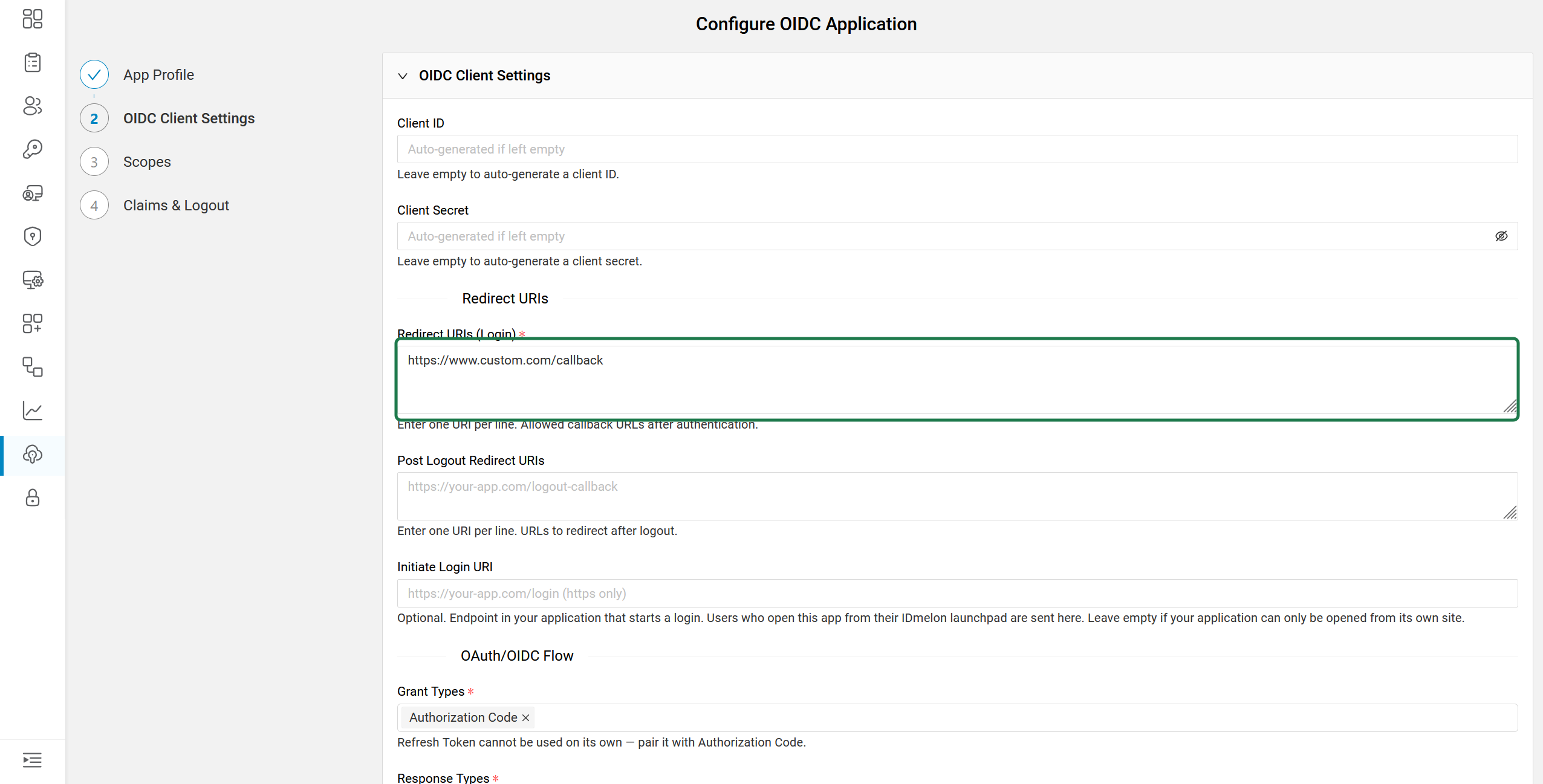
In the OIDC Client Settings step, enter your application’s Redirect URIs (Login) — the callback URL your app listens on after authentication.
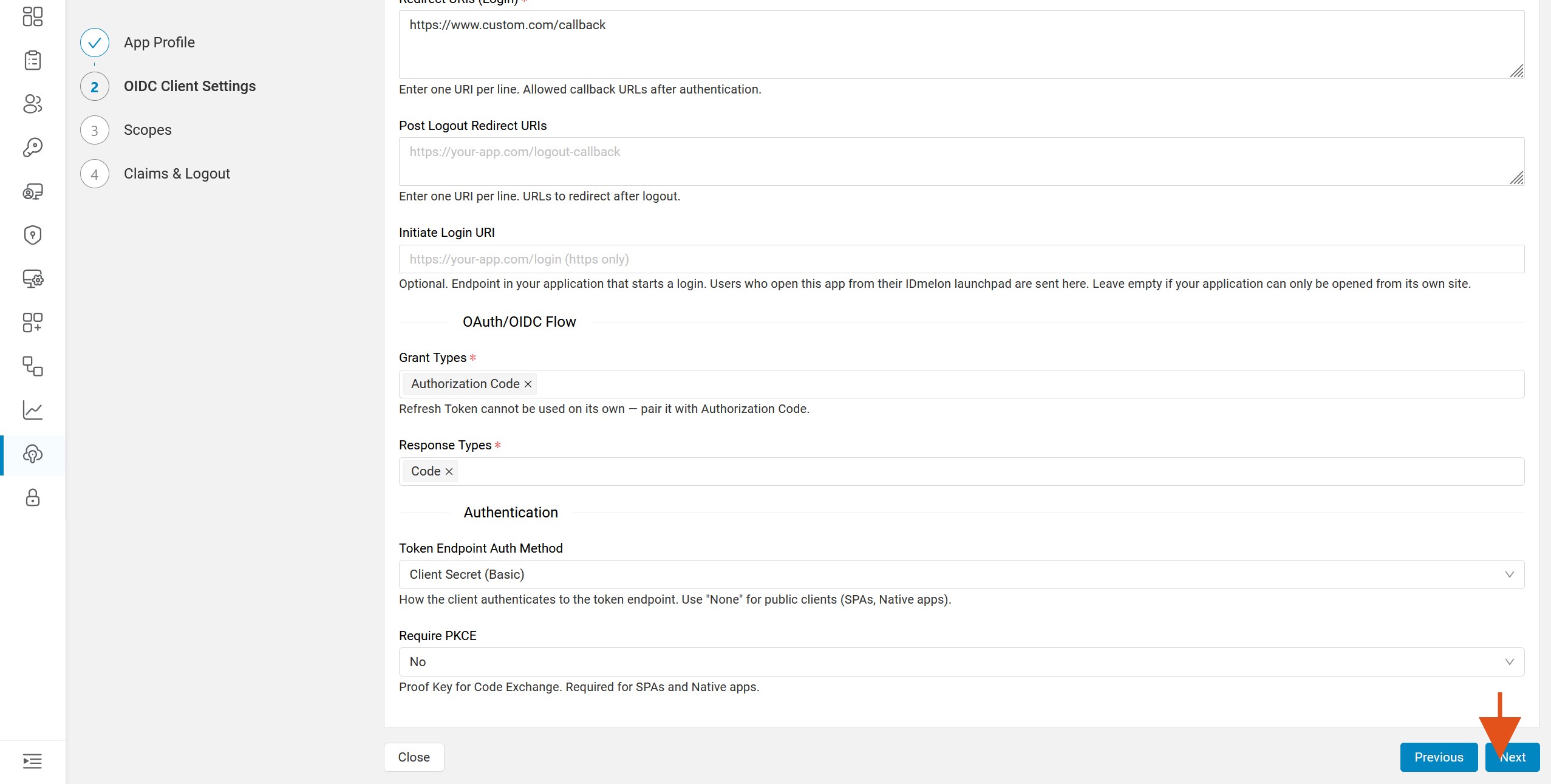
Leave the rest of OIDC Client Settings at their defaults unless your application needs otherwise, then click Next.
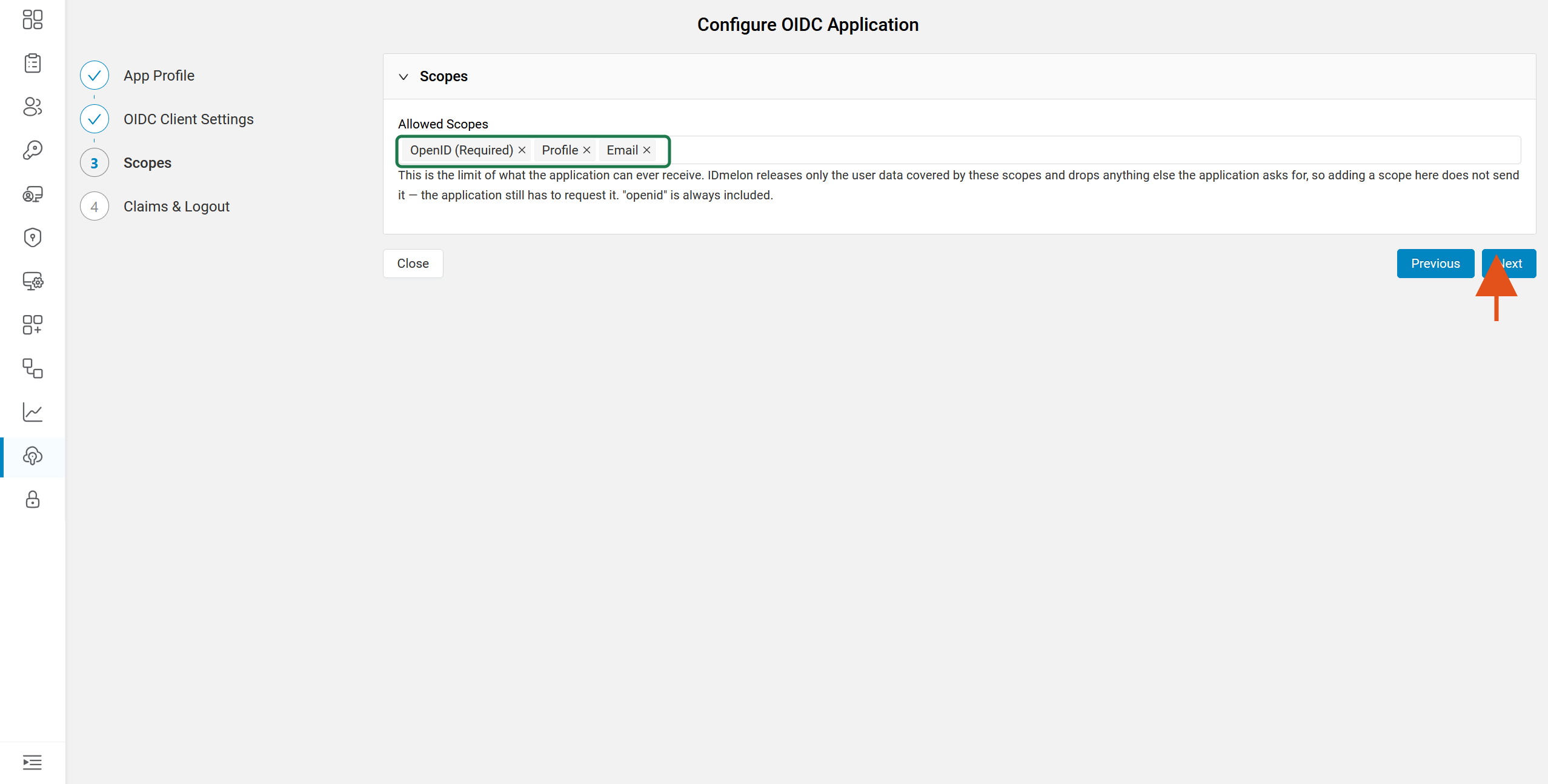
In the Scopes step, OpenID is selected by default. It’s recommended to also select Profile and Email. Adjust them if needed, then click Next.
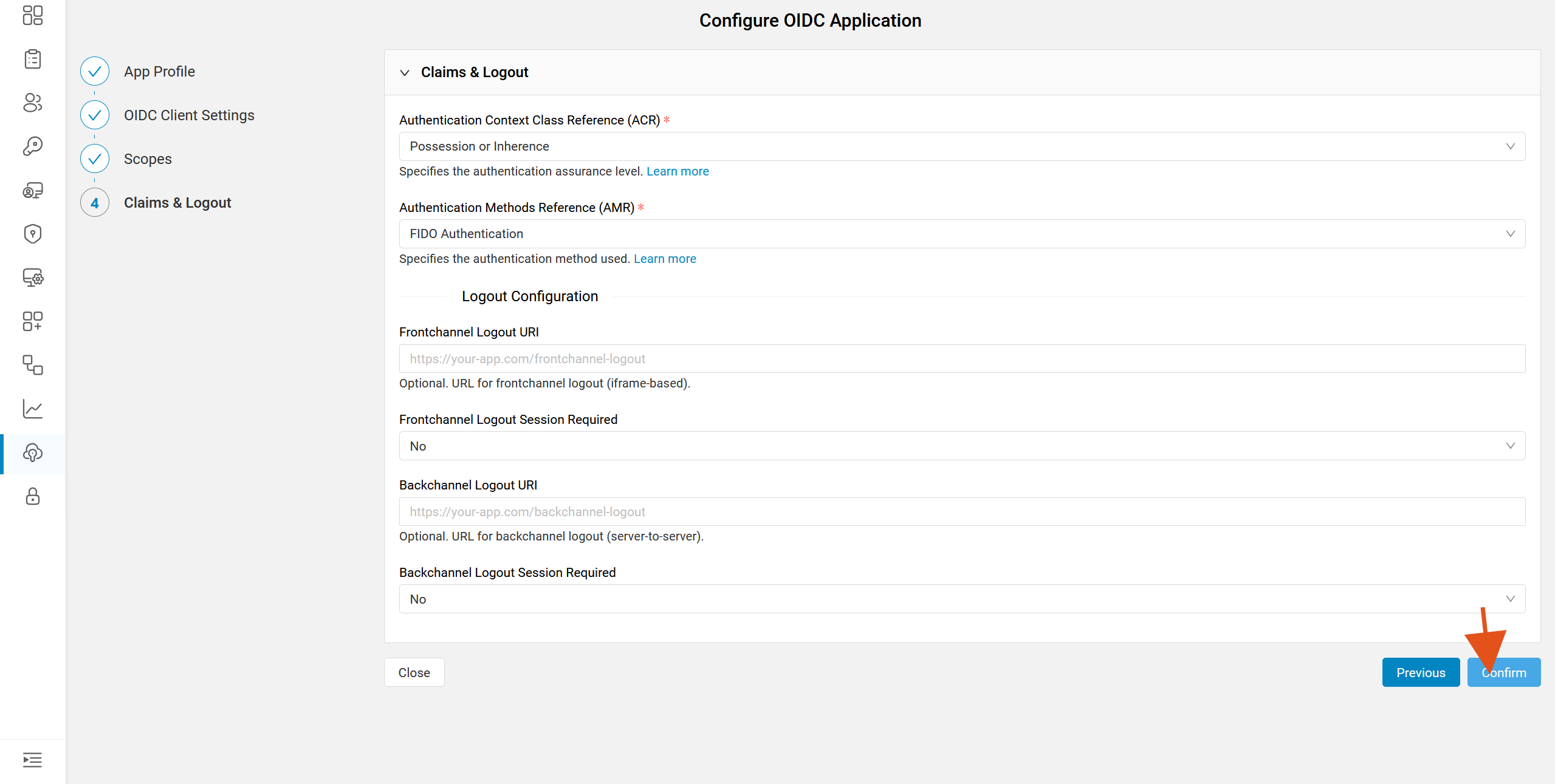
In the Claims & Logout step, review the settings and click Confirm to create the application.
IDmelon issues the application’s credentials. Copy the Client ID, Client Secret and Discovery Endpoint into your service provider now — the client secret is shown only once.
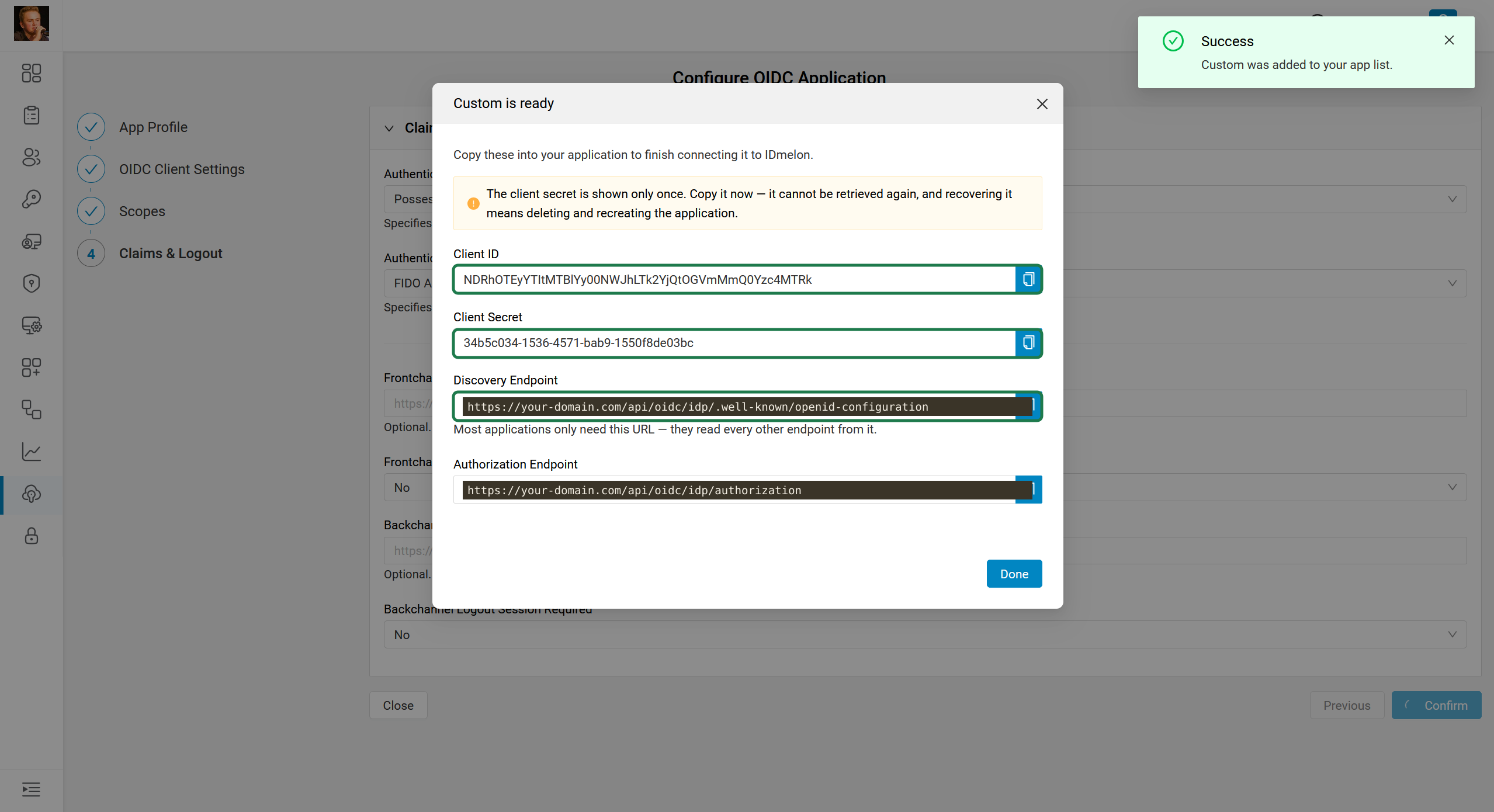
The
Discovery EndpointandAuthorization Endpointin the screenshot above have their host redacted; use your own tenant’s IDmelon domain in place of the placeholder shown.
Reference: all configuration options
The sections below describe every field across the four configuration steps, for cases where the defaults used in the quick flow don’t fit your application.
1. App Profile
- Application Name (required) — a descriptive name for the integration. Shown in the App Management list and to end users where applicable.
- Application Type (required) — determines which OAuth/OIDC defaults are safe for the client:
Web— server-side applications that can keep a client secret confidential.SPA— browser-based applications (single-page apps). These are public clients; useToken Endpoint Auth Method: Noneand enable PKCE.Native— mobile or desktop applications. Also a public client; useToken Endpoint Auth Method: Noneand enable PKCE.
2. OIDC Client Settings
- Client ID — leave empty to auto-generate one, or supply your own.
- Client Secret — leave empty to auto-generate one, or supply your own. Not used for public clients (
SPA/Native).
Redirect URIs
- Redirect URIs (Login) (required) — the allowed callback URLs your application is redirected to after authentication completes. One URI per line.
- Post Logout Redirect URIs — URLs to redirect the user to after logout. One URI per line.
- Initiate Login URI — optional HTTPS endpoint in your application that starts a login. Users who open the app from their IDmelon launchpad are sent here. Leave empty if your application can only be opened from its own site.
OAuth/OIDC Flow
- Grant Types (required) — the OAuth grant types the client is allowed to use, e.g.
Authorization Code.Refresh Tokencannot be used on its own — it must be paired withAuthorization Code. - Response Types (required) — the OAuth response types the client is allowed to request, e.g.
Code.
Authentication
- Token Endpoint Auth Method — how the client authenticates to the token endpoint. Defaults to
Client Secret (Basic). UseNonefor public clients (SPAs,Nativeapps). - Require PKCE — Proof Key for Code Exchange. Required for
SPAandNativeapplications; optional for confidentialWebapplications.
3. Scopes
- Allowed Scopes — the ceiling of what the application can ever receive. IDmelon releases only the user data covered by these scopes and drops anything else the application asks for, so adding a scope here does not send it on its own — the application still has to request it.
OpenID— selected by default and required by the OIDC specification. Grants no user data on its own; it only requests thesub(subject identifier) claim and OIDC authentication itself.Profile— recommended; not selected by default. The OIDC standard definesname,family_name,given_name,middle_name,nickname,preferred_username,profile,picture,website,gender,birthdate,zoneinfo,localeandupdated_atfor this scope, but IDmelon only sends the claims it actually holds for the user — in practice this is name-derived data (name,given_name,family_name,preferred_username); fields IDmelon doesn’t store, such asgender,birthdate,zoneinfo,pictureorwebsite, are never populated.Email— recommended; not selected by default. Grants access toemailandemail_verified.Address— not selected by default. Grants access to theaddressclaim (a single structured object withformatted,street_address,locality,region,postal_codeandcountry).Phone— not selected by default. Grants access tophone_numberandphone_number_verified.Offline Access(refresh token) — not selected by default. Doesn’t grant a data claim; instead it allows the application to request a refresh token, so it can get new access tokens without the user being present.
Only the claims actually populated for the user are released — an empty field is never sent just because its scope is allowed.
4. Claims & Logout
- Authentication Context Class Reference (ACR) (required) — specifies the authentication assurance level asserted to the service provider, e.g.
Possession or Inherence. - Authentication Methods Reference (AMR) (required) — specifies the authentication method used, e.g.
FIDO Authentication.
Logout Configuration
- Frontchannel Logout URI — optional URL for iframe-based frontchannel logout.
- Frontchannel Logout Session Required — whether a session identifier is required on frontchannel logout requests.
- Backchannel Logout URI — optional URL for server-to-server backchannel logout.
- Backchannel Logout Session Required — whether a session identifier is required on backchannel logout requests.
5. Issued credentials
After clicking Confirm, IDmelon shows the application’s credentials once:
- Client ID — the OIDC client identifier for your application.
- Client Secret — shown only once. Copy it now; it cannot be retrieved again, and recovering it means deleting and recreating the application. Not applicable to public clients.
- Discovery Endpoint — most applications only need this URL; they read every other endpoint from it (
/.well-known/openid-configuration). - Authorization Endpoint — the OAuth authorization endpoint, provided for applications that need it directly instead of resolving it from the discovery document.